
JD240TR
From High-Precision Barcode to On-Metal RFID Thickness, with Small Form-Factor, Versatile Media Compatibility, Software & Tool Offered
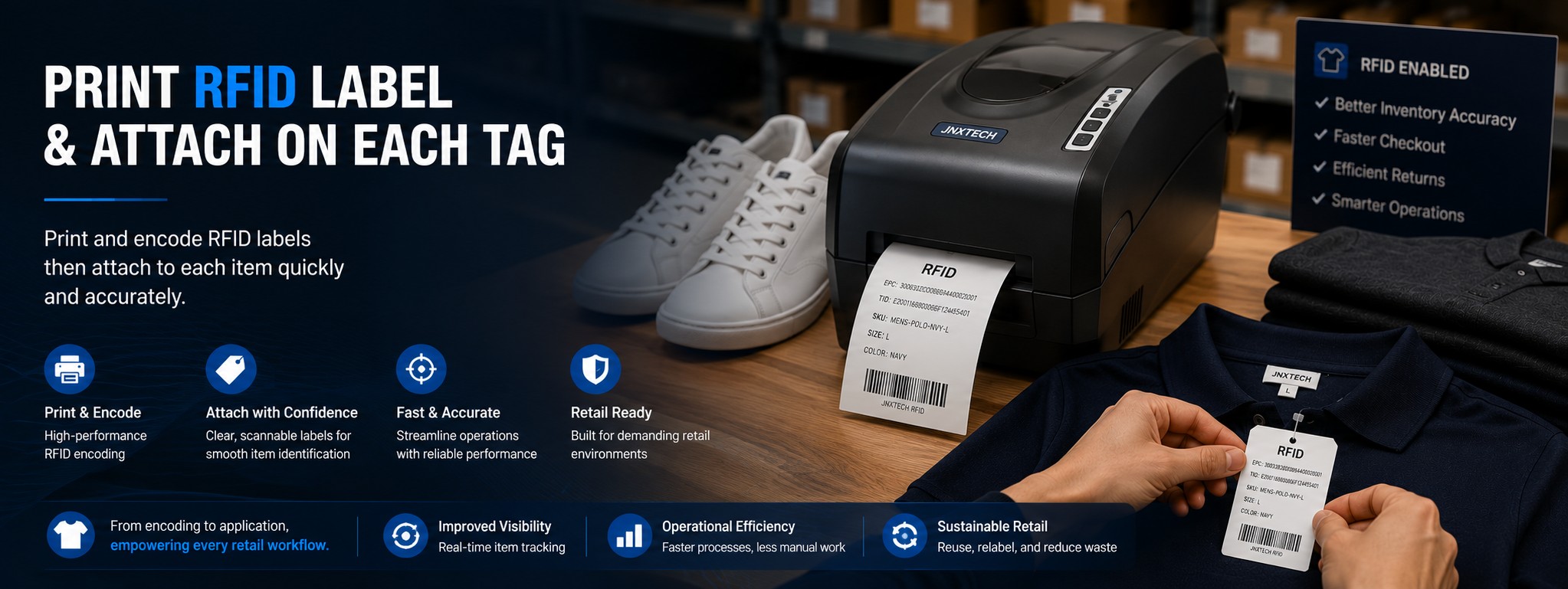
300dpi / 600dpi UHF RFID EPC Gen-2 Thermal Transfer Design
Why Choose JD240TR
The Desktop UHF RFID Printer Built for Retail Scale
Same proven UHF RFID encoding, with more flexibility and lower total cost than the category standard.
Free Label Design Software
LabelSoft is permanently free — design, encode, and print without annual license fees.
600 dpi Print Resolution
Double the density of the common 300 dpi desktop class. Perfect for small labels, high-density 2D barcodes, and micro text.
1.5mm Media Support
Print on on-metal RFID tags directly — a capability typically reserved for industrial printers. No need for separate hardware.
Flexible Procurement
Flexible minimum order. Request an evaluation unit before you commit. Negotiable warranty and support terms.
Ideal For —
- Retail in-store RFID tag encoding
- Supply chain compliance labeling (Walmart, Macy's, etc.)
- Asset tracking with on-metal tags
- Dealers and system integrators looking for a high-resolution desktop RFID printer-encoder
⚠️ Consider Alternatives If —
The JD240TR series UHF RFID Label Printer combines high-performance encoding and flexible printing capability into a compact and easy-to-deploy platform.
Designed to support diverse labeling requirements with RFID & Label Design Software offered to use, RFID Configuration & Calibration Tool to simplify RFID setup and fine-tune encoding performance, and Development Tool for Integration to enable customization and integration with enterprise applications.
It enables reliable UHF RFID deployment across retail, manufacturing, healthcare, and asset tracking environments from chain store to manufacturing asset management.
Key Features
- One Platform for All RFID Labeling Scenarios
- Support 203 / 300 / 600 dpi in a single desktop printer, enabling high-volume tagging, standard labeling, and high-precision applications without changing hardware, reducing SKU complexity and adapting to different use cases over time.
- Enable RFID in High-Density and Space-Constrained Applications
- The 600 dpi printing ensures clear, scannable output on small or data-dense labels, expanding RFID deployment into applications such as healthcare UDI, electronics, and small asset tagging, maintaining readability in small-label environments, supporting high-density 2D codes and micro text, and meeting compliance requirements.
- Simplify RFID Deployment with One-Step Print and Encode
- Integrated RFID encoding and printing ensures data is written and printed in a single process, largely improving data accuracy and eliminating mismatches between label content and RFID chip data, helping reduce manual operations, improve tagging consistency and increase operational efficiency.
- Support 1.5mm Thick and Specialty RFID Media for Industrial Applications
- Designed to handle a wider range of label constructions, including thicker RFID tags, enabling desktop printing for on-metal and rugged RFID labels that typically require industrial printers, extending RFID into MRO, asset tracking, and metal environments, reducing reliance on larger industrial devices and increasing flexibility in tag sourcing.
- UHF RFID-ready for Smart Labeling Applications
- Built to support UHF RFID labels and compliant with EPC Class 1 Gen2 (ISO18000-6C), the JD240TR is well suited for RFID-enabled identification, tracking, and compliance workflows. It operates in the 860–928 MHz range to support common UHF RFID deployment requirements.
- RFID and Label Design Software for Free
- Self-developed label editing, reading, writing, printing software: LabelSoft, with Windows and Linux versions, supports use of printers without drivers.
- RFID Config / Calibration Tool and Development Tool
- Provides graphical RFID calibration tool, intuitively displaying the range of label positioning waveform and RFID signal, one-key calibration, very convenient. A variety of development packages support VC, C#, Java, HTML5 and other mainstream programming languages.
Specifications
| Models | JD240TR-2U, JD240TR-3U, JD240TR-6U |
|---|---|
| Printing Method | Direct thermal & Thermal transfer |
| Resolution | JD240TR-2U: 203 DPI (8 dots/mm); JD240TR-3U: 300 DPI (11.8 dots/mm); JD240TR-6U: 600 DPI (24 dots/mm) |
| Max. Print Speed | JD240TR-2U: 8 IPS (203.2 mm/s); JD240TR-3U: 6 IPS (152.4 mm/s); JD240TR-6U: 2 IPS (50.8 mm/s) |
| Max. Print Width | JD240TR-2U: 4.25" (108 mm); JD240TR-3U/6U: 4.15" (105.6 mm) |
| Max. Print Length | JD240TR-2U: 157.5" (4000 mm); JD240TR-3U/6U: 78.7" (2000 mm) |
| Memory | 8 MB Flash ROM, 16 MB SDRAM |
| Media | Roll-feed, die-cut, continuous, fan-fold, tags, tickets in plain paper or thermal paper; Width: 4.6" (118 mm) max., 0.8" (20 mm) min.; Supply roll: OD 5" (127 mm) max., ID 1" (25.4 mm) min.; Thickness: 0.06–1.5 mm (0.002–0.06"), including liner, support flexible on-metal tag |
| Ribbon | Wax, Wax/Resin, Resin; Ribbon roll: OD 2.75" (70 mm) max. with ID 1" (25.4 mm) core or ID 0.5" (12.7 mm) core; Max width: 110 mm; Max length: 300 M |
| Media Sensor | Adjustable reflective & Transmissive |
| RFID Function | Integrated high performance RFID reader/encoder supports tags compatible with UHF EPC Gen 2 / ISO 18000-6C |
| Bar Code Types | 1D: Code 39, Code 93, Code 128, Codabar, EAN-8/13/128, Interleave 2 of 5, UCC-128, UPC A/E 2 and 5 add-on, etc. 2D: Data Matrix, MaxiCode, PDF417, QR, etc. |
| Interfaces | RS-232, USB, Ethernet |
| Power Rating | JD240TR-2U: 24 VDC, 2.0 A; JD240TR-3U/6U: 24 VDC, 4.0 A |
| Weight | JD240TR-2U: 2.85 KGS; JD240TR-3U/6U: 2.95 KGS |
| Dimensions | W208 x D310 x H195 mm |
| Operation Environment | Temperature: 32°F ~ +104°F (0°C ~ 40°C); Relative humidity: 5% - 85% non-condensing |
| Storage Environment | Temperature: -40°F ~ +140°F (-40°C ~ 60°C); Relative humidity: 5% - 85% non-condensing |
| Options | External label bracket, Peeler, Bluetooth module (BLE) |
| Software & Tools | LabelSoft Designer – Windows and Linux supports use of printers without drivers; RFID calibration tool – One-key calibration and Graphical Display; Development Package - supports VC, C#, Java, HTML5 and other programming languages |
Applications
- Retail: In-store exception tag printing, Apparel and merchandise tracking, Jewelry / luxury in-store labeling, Retail pharmacy bag manufacturing
- Government: Document tracking, Evidence tracking, Asset management, Ticketing
- Healthcare: Sample and laboratory specimen tracking, Patient identification, Hospital pharmacy
- Hospitality: Asset tracking, RFID wristbands
- Manufacturing / Industrial: Work-in-process tracking, Parts and asset labeling, On-metal asset management
- Food & Beverage: Expiration date tracking, Food safety recall
Technical resources
Free technical guides for this decision
The JD240TR is rated for media up to 1.5 mm, and that rating is what makes on-metal labels printable at all — the desktop class usually stops near 0.3 mm. Two sections of our buyer's guide cover that decision directly:
- The six numbers that change decisions — the 0.06–0.25 mm versus 1.3–1.5 mm comparison, what +3 dB really buys, and the TID prefixes that identify a chip
- Seven operating rules — calibrate on every roll change, verify independently, and why 100 % is the wrong acceptance criterion
Both guides are free PDFs with no form to fill at this link: UHF RFID Printer-Encoders: A Buyer's Guide (33 pages) and Tagging Metal Assets with UHF RFID (18 pages).
FAQ
Questions buyers ask before they order
Why do some labels come out marked VOID?
A VOID label means the encoder wrote the data, read it back, found a mismatch and refused to release the label. Some chips arrive dead or marginal and some antennas are damaged during converting or transport, so a scattered low single-digit VOID rate is normal — it is the safety net working, not a fault. On a retail-scale desktop line, log the VOID rate per roll and escalate when failures cluster, repeat at the same roll position, or step up after a media change.
How do I confirm the labels I received use the chip I ordered?
Read the TID of a sample label. Its leading bytes identify the silicon — for example, E280 1191 is an Impinj M730 and E280 6995 is an NXP UCODE 9. Labels that look identical can carry different chips, and the printed label says nothing, so a sample TID read on receipt is the cheapest reliable check. It matters most when a quotation for the same facestock has quietly come down in price.
What should I check before placing a bulk media order?
Converted label rolls rather than dry inlays; inlay pitch at or above 16 mm; documented a/x/y placement dimensions; the chip on the printer's supported firmware list; media thickness inside the printer's rating — the JD240TR is rated to 1.5 mm, which is what allows on-metal constructions — and a 100-label encode-and-verify trial on one test roll before you scale.
Can the JD240TR print and encode on-metal RFID labels?
Yes. The JD240TR accepts media up to 1.5 mm thick, and flexible on-metal labels run about 1.3–1.5 mm — the desktop class typically tops out near 0.3 mm, which is why on-metal printing usually forces a jump to an industrial model. Rigid on-metal tags do not pass the encoder gap at all; those are commissioned with a desktop RFID reader instead.
What does the 600 dpi option buy me over 300 dpi?
Double the print density, which shows up on small formats: high-density 2D codes, micro text, and fine print that a 300 dpi head renders as mush. If your labels carry only a barcode and an EPC on a large format, 300 dpi is enough and the option is money you do not need to spend.
Should I choose UHF or HF/NFC for my application?
By application, not by fashion. Bulk inventory read at distance — cartons, apparel, assets on a rack — points to UHF, which is what the JD240TR does. Tap-to-verify authentication, anti-counterfeiting and consumer phone interaction point to HF/NFC, which is the JD240THR. A UHF printer writes the UHF interface only; dual-frequency tags exist but need two antenna systems and cost considerably more.
Ready to evaluate JD240TR?
Request a quote, evaluation terms, or a technical consultation.
Contact Us